
Everything in. Everything out. Nothing uploaded.
A private budgeting app for Windows and Mac. No account, no bank login, nothing in the cloud.


Where did my money go this month?
Money comes in. You give every amount a job across five buckets: Needs, Wants, Savings, Investments and Debt.
You log what goes out, and Tavrin shows you exactly where it went.
- Needs2,000.00
- Rent1,200.00
- Groceries450.00
- Transport200.00
- Utilities150.00
- Wants800.00
- Eating out300.00
- Hobbies250.00
- Shopping250.00
- Savings600.00
- Emergency fund400.00
- Holiday200.00
- Investments400.00
- Long-term investing400.00
- Debt200.00
- Card repayment200.00
How much can I spend today?
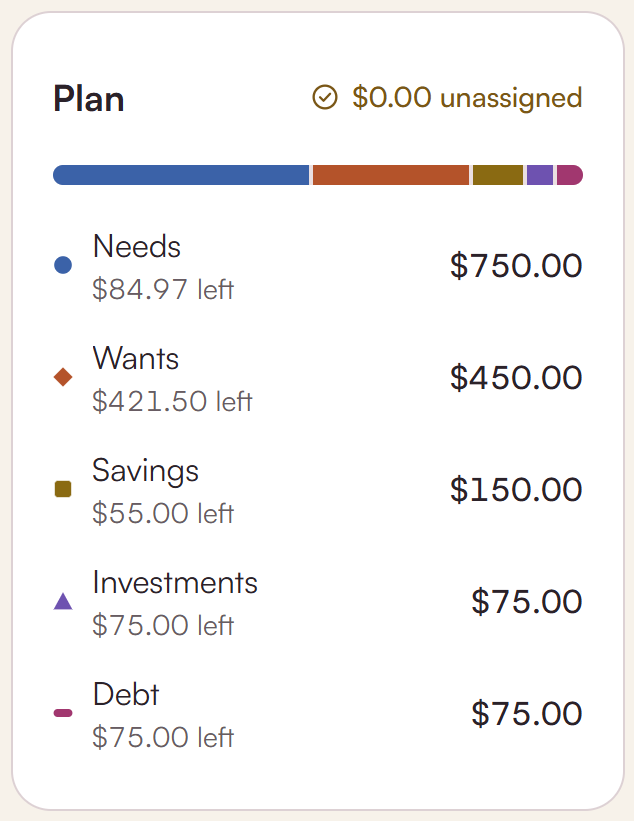
Start from 50/30/20, 70/20/10, 80/20 or zero-based, then make it yours. Unassigned counts down to zero.
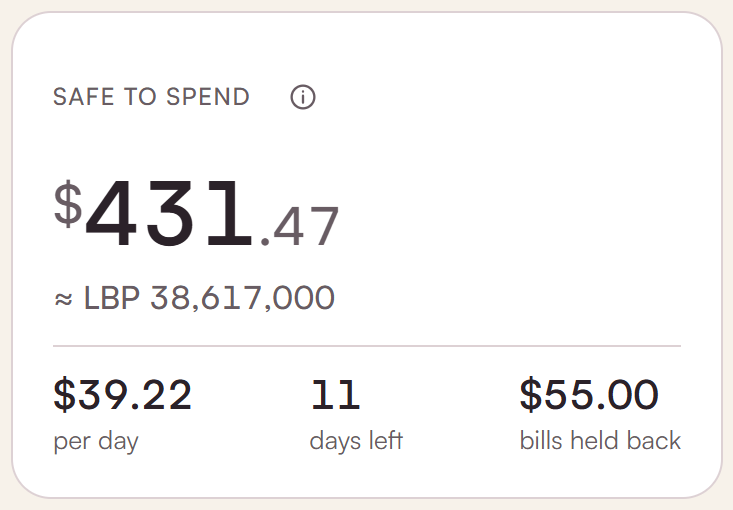
Safe to spend turns what's left into one number for the month, and one for today.
- 50/30/20needs / wants / savings
- 70/20/10needs / savings / wants
- 80/20spend / save
- Zero-basedevery amount placed
- Unassigned2,150.00 → 0.00
What if I'm paid in one currency and spend in another?
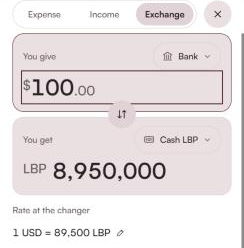
Keep two currencies side by side: USD and LBP, EUR and GBP, AED and INR. Each entry keeps the rate it was made at.
A money-changer exchange is one entry, so both sides stay right.
Can I bring in my bank statement?
Bring in Excel, CSV, PDF, OFX or QIF from any bank. Receipt photos are read on your computer.
Duplicates are caught, and nothing is saved until you've reviewed it.
Details → Payee
Amount → Amount
3 already logged
Rail pass · −£54.00
…37 more
after your OK
Can I keep my business separate?
Personal, Business, Household, Project and Property each get their own space. Business adds invoices, sales tax and profit and loss.
Moving money between spaces is a linked transfer, so both sides stay right.
Can I hand this to my accountant?
Export a PDF report, or an Excel workbook with real formulas instead of pasted numbers.
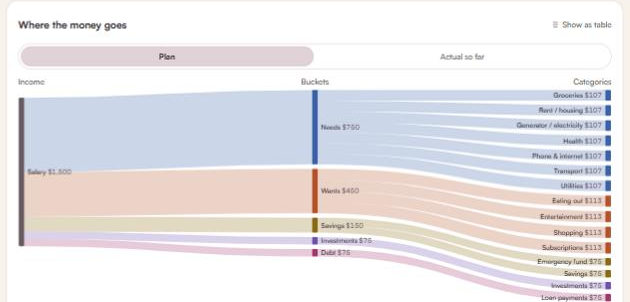
Each report includes a cash-flow diagram and a month in review.
How safe should I play it?
The money ladder goes step by step: a safety net, then debt, an emergency fund, goals and investing. A short questionnaire sets your risk profile.
Compare avalanche and snowball for paying off debt, and see how growth could add up over time.
Tavrin explains and calculates. It isn't financial advice, and it doesn't recommend specific investments.
- 5Investing
- 4Goals
- 3Emergency fund
- 2Debt
- 1Safety net
Your money stays on your machine.
Encrypted on your device
Everything lives in an encrypted database on your own computer.
Works offline
Every feature works without an internet connection.
No account, ever
No sign-up, no email address, no bank login.
Your computer is the hub. Your phone comes along.
Tavrin runs on Windows and Mac. A companion app for iPhone and Android is on the way.
It pairs with your computer by QR code, syncs over your home Wi-Fi, encrypted, and can also work on its own.
Phone companion: coming soon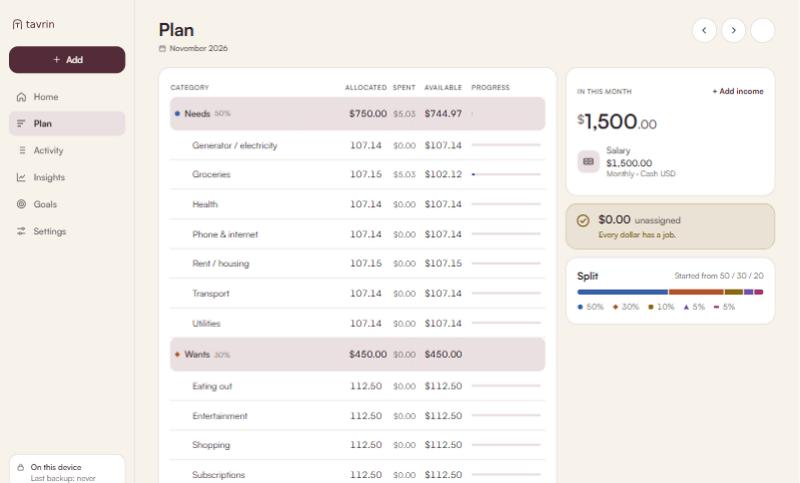
Tavrin vs a typical subscription budgeting app
Rows describe what popular paid budgeting apps usually offer.
| Feature | Tavrin | Typical subscription app |
|---|---|---|
| Price | Free | About $95–109 a year for popular paid apps (Nov 2026)1 |
| Bank login | Never | Usually |
| Where your data lives | Your computer | Their servers |
| Currencies | Any two at once | Usually one |
| Desktop app | Windows and Mac | Usually not |
| Works offline | Yes | Usually not |
1. Source: stablecoininsider.org. Prices checked November 2026 and may change.
Is it really free?
Yes. Tavrin is free to download and use, with no subscription.
Where is my data?
On your computer, in an encrypted database. Tavrin has no servers that hold your data.
What if I lose my computer?
Turn on automatic encrypted backups and keep the backup file somewhere safe, like a USB drive or a folder you already back up. Restore it on your new computer. Tavrin can't recover data for you, because it never has a copy.
Does it connect to my bank?
No. Tavrin never asks for a bank login. To bring in transactions, import a statement file from your bank.
Which currencies?
Any currency, and two at once. Each entry keeps the exchange rate it was made at.
Is the guide financial advice?
No. Tavrin explains and calculates. It isn't financial advice, and it doesn't recommend specific investments.
Windows says “unrecognised app”. Is it safe?
If you use the direct .exe, Windows SmartScreen may warn you because the app is new. Check the file's SHA-256 checksum on the download page, then choose More info → Run anyway. The Microsoft Store version installs without this step.
When is the phone app coming?
We're building it now. There's no date yet and no sign-up list. News will appear in the changelog.
Make room for what matters.
Free for Windows and Mac. No account needed.